
In today’s digital world, notifications are everywhere—from social media updates to work emails and app alerts. While they can be useful, constant notifications often lead to distraction, stress, and decreased productivity. Setting boundaries with notifications is an important step to regain control over your time and attention.
In this post, we’ll explore practical tips to help you manage notifications in a way that supports your well-being and keeps distractions to a minimum.
Why Setting Boundaries with Notifications Matters
Notifications are designed to capture your attention. When they pop up frequently, it can be hard to focus on tasks or enjoy downtime without interruptions. Over time, this can lead to:
– Increased stress and anxiety
– Reduced productivity and concentration
– Poor sleep quality when notifications appear late at night
– Difficulty disconnecting from work or social media
By setting intentional boundaries, you can reduce interruptions, improve focus, and create a healthier relationship with your devices.
Tips for Managing Your Notifications Effectively
1. Audit Your Notifications
Start by reviewing which notifications you currently receive on your phone, tablet, and computer. Ask yourself:
– Which notifications are truly helpful or urgent?
– Which ones do I often ignore or find distracting?
Turn off notifications from apps or services that don’t add value to your day.
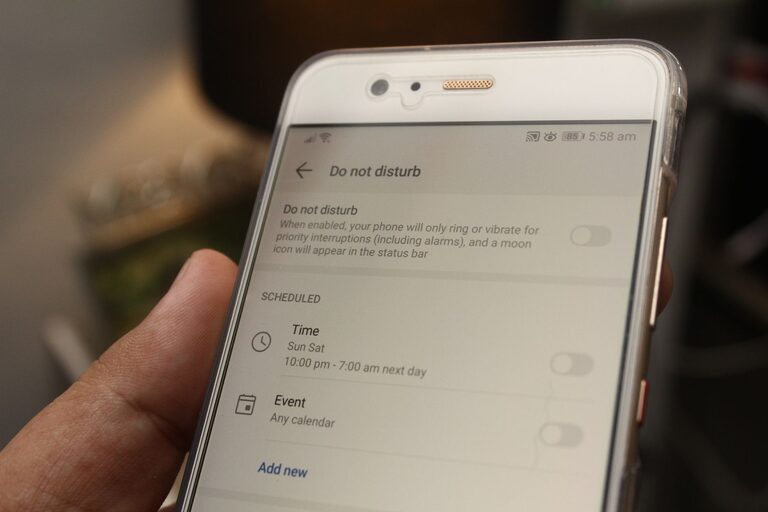
2. Use Do Not Disturb or Focus Modes
Most devices have built-in features like Do Not Disturb or Focus modes that temporarily silence notifications. Use these during:
– Work blocks or study sessions
– Meetings or important conversations
– Evening hours or before bedtime to improve sleep quality
You can often customize which notifications are allowed during these periods, so you don’t miss important calls or alerts.
3. Customize Notification Settings by App
Instead of disabling all notifications, consider customizing them per app:
– Turn off sound and banner alerts for less urgent apps
– Set notifications to appear silently in the notification center for non-essential updates
– Choose to receive notifications only for messages from specific contacts or groups
This approach allows you to stay informed without being overwhelmed.
4. Set Specific Times to Check Notifications
Rather than reacting instantly, designate certain times during the day to check notifications and messages. For example:
– Check emails only in the morning and afternoon
– Review social media notifications once or twice a day
– Respond to non-urgent messages during breaks
This routine helps minimize constant distraction and promotes focused work.
5. Use Notification Summary Features
Some platforms offer notification summary options that group non-urgent alerts and deliver them at scheduled times. This can help reduce frequent interruptions while keeping you updated on less critical information.
6. Turn Off Notifications for Social Media When Possible
Social media platforms are designed to send frequent notifications to draw you back in. Turning these off or limiting them can prevent endless scrolling and save you mental energy.
Try turning off like, comment, and follower notifications, and only keep alerts for direct messages or important updates.
7. Set Clear Boundaries with Others
Communicate your notification preferences with family, friends, and coworkers. Let them know if you have specific times when you don’t want to be disturbed. Setting these expectations can make it easier to maintain your boundaries.
8. Unsubscribe from Unnecessary Email Alerts
Email inboxes can become overwhelmed with newsletters, promotions, and automated alerts. Take time to unsubscribe from emails you no longer find useful and consider filtering incoming mail to reduce notifications.
9. Regularly Re-evaluate Your Notification Settings
Your needs and priorities change over time. Make it a habit to review your notification settings every few months to ensure they still align with your goals and lifestyle.
Benefits of Setting Boundaries with Notifications
When you implement these tips, you may notice positive changes such as:
– Improved focus and productivity
– Reduced stress and mental clutter
– Better work-life balance
– More restful sleep
– Enhanced ability to be present during social interactions
By consciously managing your notifications, you take control of your digital environment instead of letting it control you.
Conclusion
Notifications can be helpful tools, but when unchecked, they often become disruptive. Setting clear boundaries with your notifications helps create space for concentration, relaxation, and mindful living. Start small by auditing your alerts, using device features like Do Not Disturb, and communicating your preferences with others. Over time, these practices can lead to a healthier digital experience and better overall well-being.
Take control of your notifications today—and enjoy the calm and focus that comes with it.